Category: Technology

  • How to Transfer Files Securely in the Digital Age

    How to Transfer Files Securely in the Digital Age

     How to Transfer Files Securely in the Digital Age

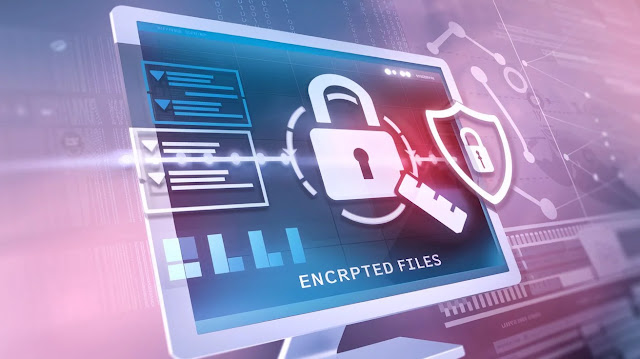
    In today’s interconnected world, the need to transfer files securely has never been more crucial. With the rise of cyber threats, including data breaches, ransomware attacks, and hacking attempts, ensuring that your files are transmitted safely from one point to another is vital for both individuals and businesses alike. Whether you’re sharing sensitive documents with colleagues, exchanging contracts, or sending personal information, secure file transfer methods are necessary to protect your data from falling into the wrong hands. This article explores the best practices, tools, and technologies available for secure file transfers in the digital age.

    How to Transfer Files Securely in the Digital Age

    1. Understanding the Importance of Secure File Transfer

    The digital landscape is fraught with potential threats, and file transfers are a frequent target for cybercriminals. Unsecured file transfers can lead to unauthorized access to sensitive data, identity theft, financial loss, and damage to reputation. Businesses that fail to protect customer data can face legal repercussions and suffer substantial financial penalties under regulations such as the General Data Protection Regulation (GDPR) or the California Consumer Privacy Act (CCPA). Secure file transfers are essential for maintaining privacy, compliance, and trust.

    2. Types of File Transfer Methods

    Different file transfer methods come with varying levels of security. Here’s a breakdown of the most common file transfer options and their security features:

    a) Email Attachments

    Email remains one of the most widely used methods for sharing files. However, it is also one of the least secure options if not properly encrypted. Standard email services lack encryption, meaning files sent as attachments can be intercepted. Secure email services or encryption tools like Pretty Good Privacy (PGP) can be used to encrypt both the email body and attachments.

    b) File Transfer Protocol (FTP)

    FTP is one of the oldest methods of file transfer. While it’s widely used, it lacks encryption and can be vulnerable to interception. A more secure version, Secure FTP (SFTP), encrypts the data being transferred and offers an added layer of protection by using Secure Shell (SSH) technology.

    c) Cloud Storage Services

    Cloud services like Google Drive, Dropbox, and OneDrive offer a convenient way to share files. These services often encrypt data both at rest (when stored) and in transit (when being transferred). However, cloud services are not immune to attacks. It’s crucial to choose services that offer robust security features like two-factor authentication (2FA) and end-to-end encryption.

    d) Virtual Private Networks (VPNs)

    VPNs create a secure tunnel for data to pass through, encrypting files during transmission. This method is ideal for securing file transfers over public or unsecured networks, such as Wi-Fi in a coffee shop or airport.

    e) Secure File Transfer Services

    There are specialized secure file transfer services, such as WeTransfer Pro, Tresorit, and Filemail, that are designed specifically for safely sharing large files. These services often include end-to-end encryption, expiration dates for download links, and password-protected files.

    f) Peer-to-Peer (P2P) File Sharing

    P2P file sharing enables users to transfer files directly between devices without using a central server. While this method can offer speed and efficiency, it is not always secure. Encryption should be used in conjunction with P2P transfers to ensure that data cannot be intercepted.

    3. Best Practices for Secure File Transfers

    Even when using secure file transfer methods, following best practices ensures that your data remains as safe as possible.

    a) Encrypt Your Files

    Encryption is one of the most effective ways to secure your files. Tools like PGP and VeraCrypt allow you to encrypt files before transferring them. Encryption scrambles the data in a file, making it unreadable to anyone without the decryption key.

    b) Use Strong Passwords and Two-Factor Authentication (2FA)

    Passwords are your first line of defense in securing file transfers. Ensure that you use strong, unique passwords for all accounts and services involved in file sharing. Two-factor authentication adds an extra layer of security by requiring a second form of verification, such as a code sent to your mobile device.

    c) Regularly Update Software and Tools

    Outdated software can have vulnerabilities that hackers exploit. Keep your file transfer tools, encryption software, and security protocols up to date to ensure that you’re protected against the latest threats.

    d) Avoid Public Wi-Fi Networks

    Public Wi-Fi networks are notoriously insecure. If you must transfer files while connected to a public network, use a VPN to encrypt your connection. This prevents attackers from intercepting your files during transmission.

    e) Use Temporary File Links

    When sharing files via cloud services or secure file transfer platforms, use temporary links that expire after a set period. This limits the time that the file is available for download, reducing the risk of unauthorized access.

    f) Verify the Recipient’s Identity

    Before transferring sensitive files, confirm the identity of the recipient. Double-check email addresses and use secure communication channels to share decryption keys or passwords. This helps to prevent data from being intercepted by phishing attempts or fraud.

    4. Technologies Enhancing Secure File Transfers

    Several technologies play a pivotal role in enhancing the security of file transfers in the digital age. Understanding these technologies can help users make informed decisions about how they transfer sensitive data.

    a) End-to-End Encryption (E2EE)

    E2EE ensures that files are encrypted from the moment they leave the sender’s device until they are decrypted by the recipient. No third parties, including service providers, can access the data. Services like Tresorit and ProtonMail offer E2EE for secure file transfers.

    b) Blockchain Technology

    Blockchain, known for its role in cryptocurrencies, is increasingly being used to secure file transfers. Blockchain offers decentralized, tamper-proof methods for tracking file transfers and ensuring that data integrity is maintained throughout the transfer process. This technology can be particularly useful for industries like finance, healthcare, and legal services, where the secure transmission of documents is critical.

    c) Zero-Knowledge Proofs

    Zero-knowledge proofs are cryptographic methods that allow one party to prove to another that they know a value (such as a password or encryption key) without revealing the value itself. This ensures that even the service provider cannot access the transferred files. Many cloud services are beginning to implement zero-knowledge encryption, meaning only the user can decrypt their files.

    5. Regulations and Compliance: Ensuring Secure File Transfer

    With increasing global concerns over privacy and data protection, governments and regulatory bodies have enacted laws to ensure that organizations protect the sensitive data they handle. Non-compliance with these regulations can result in hefty fines and reputational damage. Here are a few key regulations related to secure file transfers:

    a) GDPR (General Data Protection Regulation)

    The GDPR applies to all organizations that process the personal data of EU residents, regardless of where the organization is located. It mandates that organizations implement appropriate technical and organizational measures to ensure data security, including during file transfers. Encrypting personal data before transferring it is a common method of compliance.

    b) HIPAA (Health Insurance Portability and Accountability Act)

    HIPAA governs the secure transfer of health information in the United States. Healthcare providers and related organizations must ensure that patient data is encrypted when being transferred, stored, or accessed remotely.

    c) CCPA (California Consumer Privacy Act)

    The CCPA is a privacy law that applies to businesses that handle the personal data of California residents. It mandates secure file transfers and other protective measures to safeguard consumer data from unauthorized access.

    6. Challenges of Secure File Transfer

    Despite advances in secure file transfer technologies, several challenges remain.

    a) Human Error

    Many data breaches occur because of human error, such as sending files to the wrong recipient or failing to encrypt sensitive data. Training and awareness programs can help mitigate these risks.

    b) File Size Limits

    Many secure file transfer services impose limits on the size of files that can be transferred. Large files, such as video or design files, may require alternative methods, like FTP, which can be less secure. Choosing a service that supports large file sizes while maintaining security features is important.

    c) Cost

    Secure file transfer solutions, especially enterprise-level ones, can be expensive. Small businesses or individuals may struggle to afford these services, though free or low-cost alternatives do exist, often with limitations.

    7. Future of Secure File Transfers

    As technology continues to evolve, so too will the methods used to transfer files securely. Quantum encryption, for example, is an emerging technology that promises to revolutionize secure file transfers by making encryption virtually unbreakable. Additionally, artificial intelligence (AI) and machine learning (ML) may play a larger role in detecting and preventing unauthorized file transfers in real-time.

    a) Quantum Encryption

    Quantum encryption relies on the principles of quantum mechanics to create encryption keys that are impossible to break with current technology. It promises to provide an unprecedented level of security for sensitive data transfers, but its adoption is still in the early stages.

    b) AI and Machine Learning in Security

    AI and machine learning technologies are increasingly being integrated into security systems to detect suspicious activities or potential breaches during file transfers. These technologies can analyze patterns in file transfers and alert users to unusual or potentially harmful activities.

    In the digital age, secure file transfers are more important than ever. By understanding the risks involved and implementing the appropriate technologies and best practices, individuals and organizations can protect their sensitive data from unauthorized access and cyber threats. Whether through encryption, secure file transfer services, or emerging technologies like blockchain and AI, the tools and methods for securing file transfers are continually advancing. Staying informed and proactive in adopting these solutions is the best defense against the ever-evolving landscape of cyber threats
  • The Best Web Hosting Services for Small Businesses

    The Best Web Hosting Services for Small Businesses

     The Best Web Hosting Services for Small Businesses

    In today’s digital age, having a robust online presence is vital for small businesses. Whether you’re launching a startup or running an established local store, choosing the right web hosting service can significantly impact your website’s performance and customer experience. With numerous options available, selecting a hosting provider can feel overwhelming. This article will guide you through the best web hosting services tailored to small businesses, ensuring you find the right balance of performance, security, and affordability.

    The Best Web Hosting Services for Small Businesses

    Section 1: Why Web Hosting Matters for Small Businesses

    Web hosting is the backbone of your online business. It determines how your website performs, its security level, and the type of customer experience you offer. This section will explain the importance of reliable web hosting services for small businesses, including uptime, scalability, and how they affect your business growth.

    • Uptime and Downtime: Reliable uptime ensures your website is available to customers 24/7.
    • Speed and Performance: Fast loading times reduce bounce rates and improve SEO.
    • Security: Robust security features protect your website from cyber threats.
    • Scalability: Growing businesses need scalable plans that can expand as they grow.
    • Customer Support: Responsive support is crucial for addressing technical issues quickly.

    Section 2: Features to Look for in a Small Business Web Host

    Before diving into specific hosting providers, let’s explore the essential features small businesses should prioritize. Some of these include:

    1. Affordability: Look for budget-friendly hosting without compromising quality.
    2. Performance (Speed and Uptime): Hosting services with superior performance metrics.
    3. User-Friendly Control Panels: Easy-to-use dashboards like cPanel or Plesk.
    4. Storage and Bandwidth: Assess your site’s needs and find a host that offers enough resources.
    5. SSL Certificates and Security Features: Ensure the hosting provider offers SSL and other security protocols for protecting your data.
    6. Customer Support and Tutorials: Top-notch customer service and learning resources can be a lifesaver, especially for beginners.

    Section 3: Types of Hosting for Small Businesses 

    Understanding the different types of web hosting services can help you make an informed decision. Below are common hosting options suitable for small businesses:

    1. Shared Hosting: Ideal for startups with limited budgets. Shared hosting means multiple websites share a server, making it a cost-effective solution. However, it may result in slower speeds due to resource sharing.
    2. VPS Hosting (Virtual Private Server): Provides more dedicated resources than shared hosting. VPS hosting is perfect for businesses that anticipate moderate traffic growth or require additional control over their server environment.
    3. Dedicated Hosting: The most expensive option, offering an entire server for your website. Ideal for high-traffic sites, though it might be unnecessary for small businesses with limited traffic.
    4. Cloud Hosting: Flexible and scalable. Cloud hosting allows your website to pull resources from multiple servers, offering faster speeds and enhanced security.
    5. Managed WordPress Hosting: Tailored specifically for WordPress users, this service handles backend tasks like updates, backups, and security. Ideal for businesses running WordPress websites.

    Section 4: Top Web Hosting Providers for Small Businesses 

    This section will provide an in-depth analysis of the top hosting providers for small businesses. Each subheading will focus on a different provider, highlighting its strengths, pricing, and suitability for small business needs.

    Bluehost
    1. Overview: Officially recommended by WordPress, Bluehost is well-known for its reliability, ease of use, and affordability.
    2. Pricing: Plans start as low as $2.95/month.
    3. Features: Free domain for the first year, SSL certificate, 24/7 customer support, and unmetered bandwidth.
    4. Ideal For: WordPress users, small eCommerce sites, and personal brands.

    HostGator

    1. Overview: HostGator is one of the most beginner-friendly hosting services. It provides easy website setup, affordable plans, and reliable uptime.
    2. Pricing: Starting from $2.75/month.
    3. Features: Unlimited storage, free website builder, free SSL, and a 45-day money-back guarantee.
    4. Ideal For: Startups, small businesses looking for cheap hosting with adequate features.

    SiteGround

    1. Overview: Known for its fast loading speeds and exceptional customer support, SiteGround is a fantastic choice for businesses that need dependable performance.
    2. Pricing: Starting at $3.99/month.
    3. Features: Free daily backups, CDN integration, enhanced security features, and 24/7 support.
    4. Ideal For: Small to medium-sized businesses that prioritize performance and support.

    A2 Hosting

    1. Overview: A2 Hosting offers turbocharged speeds and optimized servers for faster loading times. Their plans come with developer-friendly tools for advanced users.
    2. Pricing: Starts at $2.99/month.
    3. Features: SSD storage, free SSL, anytime money-back guarantee, and developer-friendly tools.
    4. Ideal For: Small businesses focused on speed and performance, especially those using CMS platforms like WordPress.

    InMotion Hosting

    1. Overview: InMotion is known for its robust business-class hosting services. It offers a wide range of hosting types, including shared, VPS, and dedicated.
    2. Pricing: From $2.49/month.
    3. Features: Free domain, free SSL, 90-day money-back guarantee, and excellent customer support.
    4. Ideal For: Small businesses that require advanced hosting features, eCommerce sites, and scalable hosting solutions.

    DreamHost

    1. Overview: DreamHost stands out with its month-to-month payment plans, making it a flexible option for small businesses. It’s also a great choice for WordPress sites.
    2. Pricing: Starting from $2.59/month.
    3. Features: Free domain, unlimited traffic, pre-installed WordPress, and a free SSL certificate.
    4. Ideal For: WordPress users and businesses looking for affordable, flexible plans.

    GreenGeeks

    1. Overview: GreenGeeks is an eco-friendly hosting provider that combines excellent performance with a commitment to sustainability.
    2. Pricing: Starting from $2.95/month.
    3. Features: Free SSL, free CDN, free backups, and 300% renewable energy match.
    4. Ideal For: Businesses that prioritize eco-friendliness and high-performance hosting.

    Section 5: How to Choose the Best Hosting Provider for Your Business 

    Now that you have an overview of the top hosting providers, how do you select the one that best suits your business? In this section, we’ll guide you through some practical steps:

    • Assess Your Website’s Needs: Consider your site’s size, traffic, and resource demands.
    • Set a Budget: While affordability is important, make sure the host provides essential features like SSL certificates, backups, and good customer support.
    • Evaluate Customer Support: A host with excellent customer support can save you from many headaches down the road.
    • Check for Scalability: If you expect your business to grow, opt for a hosting service that can scale with you.
    • Read User Reviews: Customer feedback can give valuable insights into performance and reliability.
    • Trial Periods and Money-Back Guarantees: Look for hosting providers that offer trial periods or money-back guarantees to minimize risk.

    Selecting the best web hosting service is one of the most critical decisions for small businesses aiming to build a solid online presence. Whether you’re just starting out or looking to upgrade your existing site, the right hosting provider can ensure your site is fast, secure, and reliable. By focusing on the features that matter most to your business—such as performance, security, and customer support—you can confidently choose the best hosting provider to meet your business needs.

    Remember, what works best for one company might not be suitable for another, so take time to assess your needs and budget. With this guide in hand, you’re well on your way to finding the perfect web hosting service for your small business.

  • The Best Methods for Transferring Large Files

    The Best Methods for Transferring Large Files

    In today’s digital age, the need to transfer large files between
    individuals or organizations has grown exponentially. Whether you are a graphic
    designer sending large project files, a software developer distributing
    software builds, or simply sharing family videos and photos, transferring large
    files efficiently is critical. The process can be fraught with challenges,
    including file size limits, bandwidth constraints, and security concerns.
    Thankfully, there are numerous tools and methods that simplify large file
    transfers. In this article, we will explore the best methods for transferring
    large files, their advantages, and how to choose the right one for your needs.

    The Best Methods for Transferring Large Files

    1. Cloud Storage Services

    Cloud storage services are among the most popular and convenient methods
    for transferring large files. These services not only allow you to store large
    amounts of data but also share those files with others by simply providing them
    with a link.

    Popular Cloud Storage Providers:

    • Google Drive:
      Offers 15 GB of free storage and paid plans for larger capacities. Google
      Drive is integrated with Gmail, making file sharing seamless.
    • Dropbox: Known
      for its ease of use, Dropbox offers 2 GB of free storage, with paid plans
      available for larger files. Dropbox’s “Smart Sync” allows users to access
      files without using local storage.
    • OneDrive:
      Microsoft’s OneDrive offers 5 GB of free storage and works well with
      Windows and Office 365 applications.
      It also offers seamless sharing and collaboration
      options.
    • iCloud:
      Apple’s cloud storage service offers 5 GB of free storage, with a focus on
      seamless integration with Apple devices and services.

    How It Works:

    1. Upload the file to your cloud storage account.
    2. Generate a shareable link for the file.
    3. Send the link to the recipient, who can download
      the file directly.

    Pros:

    • No need to worry about file size limits as long
      as you have sufficient storage.
    • Files can be accessed from anywhere, and on any
      device with an internet connection.
    • Built-in security features, such as two-factor
      authentication and file encryption.

    Cons:

    • Limited free storage, with additional storage
      requiring payment.
    • Upload and download speeds depend on your
      internet connection.
    • Privacy concerns, as data is stored on
      third-party servers.

    2. File Transfer Protocol
    (FTP)

    FTP is an older yet reliable method of transferring large files. It is
    especially common in business settings for transferring large data sets between
    servers.

    How It Works:

    1. The user uploads files from their computer to an
      FTP server.
    2. The recipient can access the server using an FTP
      client, such as FileZilla, to download the files.

    Pros:

    • No file size limits.
    • Allows transferring large quantities of files in
      batches.
    • Ideal for transferring files to and from a web
      server.

    Cons:

    • Not as user-friendly as modern cloud services.
    • Requires technical knowledge to set up and manage
      an FTP server.
    • Security concerns: Files are not encrypted by
      default, so additional measures like SFTP (Secure FTP) or FTP over SSL are
      necessary to secure the transfer.

    3. Peer-to-Peer (P2P) File
    Sharing

    P2P file sharing allows users to share files directly between their devices
    without the need for a central server. This decentralized method can be highly
    effective for transferring large files to multiple recipients.

    How It Works:

    1. Install a P2P client, such as BitTorrent or
      uTorrent.
    2. Upload the file to the P2P network.
    3. Recipients download the file by connecting to the
      same network and using the P2P client.

    Pros:

    • No file size limits.
    • Fast transfer speeds, as files are downloaded in
      small chunks from multiple users.
    • Ideal for distributing large files to many
      recipients simultaneously.

    Cons:

    • Requires a P2P client, which may be confusing for
      some users.
    • Potential legal and ethical concerns,
      particularly if used for sharing copyrighted material.
    • Security risks: P2P networks can expose users to
      malware and privacy vulnerabilities.

    4. WeTransfer

    WeTransfer is a popular web-based service designed for one-off file
    transfers. It is simple, user-friendly, and requires no sign-up for small
    transfers.

    How It Works:

    1. Visit the WeTransfer website.
    2. Upload your file (up to 2 GB for free users, or
      20 GB for paid users).
    3. Enter the recipient’s email address and send the
      file.

    Pros:

    • No need for a user account (for free transfers).
    • Easy and straightforward
      interface.
    • The recipient can download the file without
      needing to create an account.

    Cons:

    • Limited free file size (2 GB).
    • Files are only available for a limited time
      (typically 7 days for free users).
    • Paid accounts are required for larger file
      transfers or for storing files longer.

    5. Resilio Sync (Formerly
    BitTorrent Sync)

    Resilio Sync is a file transfer service built on BitTorrent technology,
    which allows users to sync and share large files between devices directly,
    without needing a cloud storage service.

    How It Works:

    1. Install Resilio Sync on both devices (sender and
      recipient).
    2. Add the file to be shared.
    3. Share a link or QR code with the recipient,
      allowing them to sync and download the file directly.

    Pros:

    • No file size limits.
    • Files are transferred directly between devices,
      ensuring privacy.
    • Files can be shared between multiple devices
      simultaneously.

    Cons:

    • Both sender and recipient need to install the
      software.
    • Not as well-known or widely used as cloud storage
      options.
    • Setup may be more complicated than other
      services.

    6. USB Flash Drives and
    External Hard Drives

    In some cases, the best way to transfer large files is through physical
    storage devices, such as USB flash drives or external hard drives. This is
    particularly useful when internet speeds are slow or if you need to transfer
    files without any online infrastructure.

    How It Works:

    1. Copy the file to a USB flash drive or external
      hard drive.
    2. Physically deliver the device to the recipient.
    3. The recipient copies the file from the storage
      device to their computer.

    Pros:

    • No file size limits, as long as the storage
      device has enough capacity.
    • No reliance on internet speed or bandwidth.
    • Secure, as there’s no need to upload files to the
      internet.

    Cons:

    • Physical transfer is time-consuming and may be
      inconvenient over long distances.
    • Risk of data loss if the storage device is lost
      or damaged.
    • Larger files may require larger external hard
      drives, which are bulkier and more expensive than USB drives.

    7. File Compression (ZIP, RAR)

    Compressing large files into ZIP or RAR formats is an effective way to
    reduce file size before transfer. This can be done using built-in tools on most
    operating systems or third-party software such as WinRAR or 7-Zip.

    How It Works:

    1. Compress the file(s) into a ZIP or RAR archive.
    2. Share the compressed file via email, cloud
      storage, or any other file transfer method.

    Pros:

    • Reduces file size, making transfer faster and
      easier.
    • Most operating systems support ZIP files without
      the need for additional software.
    • Can compress multiple files into a single
      archive, simplifying file management.

    Cons:

    • Compression may not significantly reduce file
      size for already compressed formats (e.g., videos).
    • Recipients need to know how to extract compressed
      files.
    • Some compression formats (like RAR) require
      special software to open.

    8. Email Attachments (with
    Caution)

    While email services like Gmail, Outlook, and Yahoo have file size limits
    (usually between 20-25 MB), they can still be used for smaller large files. For
    larger files, Gmail users can integrate with Google Drive, and Outlook users
    with OneDrive to bypass these limits.

    How It Works:

    1. Attach the file to an email.
    2. Send the email to the recipient.
    3. The recipient downloads the file from the email.

    Pros:

    • Email is universally accessible and widely used.
    • Simple and straightforward for small files.

    Cons:

    • File size limits are low (typically 25 MB).
    • Large attachments can clog up email inboxes and
      cause issues.
    • Email is not suitable for secure or sensitive
      file transfers without encryption.

    9. Secure File Transfer
    Services

    For users concerned with privacy and security, several file transfer
    services specialize in encrypting data and ensuring safe transfers. Services
    like Tresorit, Sync.com, and FileMail provide end-to-end
    encryption and secure links for file sharing.

    How It Works:

    1. Upload the file to the secure file transfer
      service.
    2. Share the encrypted link with the recipient.
    3. The recipient downloads the file using the secure
      link.

    Pros:

    • Provides high-level security and privacy for
      sensitive files.
    • Some services offer features like
      password-protected links and expiration dates.
    • File transfers can be done with ease and
      assurance of safety.

    Cons:

    • Typically more expensive than standard cloud
      storage or file transfer services.
    • May require user registration and setup.
    • Transfer speeds may be slower due to encryption.

    10. Online File Transfer
    Services (Large File Transfer Sites)

    In addition to WeTransfer, there are numerous online services dedicated to
    large file transfers. Sites like SendAnywhere, Hightail, and pCloud
    Transfer
    offer similar features, often with higher file size limits for
    free or paid users.

    How It Works:

    1. Visit the file transfer site.
    2. Upload your file.
    3. Share a download link or email the file directly
      to the recipient.

    Pros:

    • User-friendly and requires no technical
      expertise.
    • Ideal for quick, one-time file transfers.
    • Some services offer large file size limits for
      free or paid accounts.

    Cons:

    • Many services have limited free features.
    • Files are often only stored temporarily,
      requiring re-upload for long-term sharing.
    • Security and privacy levels may vary between
      services.

    Choosing the best method for transferring large files depends on your
    specific needs, such as the file size, urgency, security, and recipient’s
    technical abilities. While cloud storage services like Google Drive or Dropbox
    are highly popular and reliable, more specialized solutions like FTP, P2P
    networks, and secure file transfer services offer advantages for more technical
    users or specific use cases. Additionally, physical transfers via USB drives or
    external hard drives remain a tried-and-true solution for large files that need
    to be moved without internet dependency. Ultimately, the right method depends
    on a balance between convenience, security, and file size.


  • Web Hosting vs. Cloud Hosting: Which is Right for You?

     Web Hosting vs. Cloud Hosting: Which is Right for You?

    In today’s digital age, establishing a strong online presence is critical for businesses, freelancers, and organizations alike. One of the first and most significant steps in this journey is choosing the right hosting solution for your website. Two prominent options are web hosting and cloud hosting. While both serve the fundamental purpose of making your website accessible on the internet, they operate in distinct ways and offer different benefits depending on your needs.

    In this article, we will explore the key differences between web hosting and cloud hosting, examine their pros and cons, and help you determine which option is better suited to your specific needs. By the end of this discussion, you should have a clearer understanding of what each type of hosting offers and how to make an informed decision.

    Web Hosting vs. Cloud Hosting: Which is Right for You?

    1. What is Web Hosting?

    Web hosting is a service that allows individuals or organizations to store their website files (HTML, CSS, images, videos, etc.) on a physical server. When a user types your domain name into a browser, their request is directed to this server, and the website files are delivered to their device, enabling the site to be displayed.

    Web hosting typically involves a single server where all website data is stored. There are several types of web hosting, which include:

    Shared Hosting

    In shared hosting, multiple websites are hosted on the same server. Each site is allocated a portion of the server’s resources, such as CPU, RAM, and disk space. This type of hosting is usually the most affordable option and is suitable for small websites or blogs with low traffic.

    Dedicated Hosting

    Dedicated hosting gives you access to an entire server solely for your website. This provides greater control, performance, and security compared to shared hosting. It is ideal for large websites or businesses with high traffic that need more resources.

    VPS Hosting (Virtual Private Server)

    VPS hosting is a hybrid solution that sits between shared and dedicated hosting. In VPS hosting, a single physical server is divided into multiple virtual servers, each of which operates independently. This allows websites to have more resources than shared hosting without the cost of a dedicated server.

    2. What is Cloud Hosting?

    Cloud hosting, on the other hand, uses a network of interconnected servers located in different geographical locations, collectively referred to as “the cloud.” These servers work together to host your website. Unlike traditional hosting, where your website is dependent on a single server, cloud hosting distributes your data across several servers, which improves performance and reliability.

    Cloud hosting operates on the principles of scalability and flexibility. When your website experiences increased traffic or requires additional resources, the cloud can automatically scale up to meet those demands without downtime or interruption. Similarly, if your site’s traffic decreases, the cloud hosting plan can scale down to save costs.

    3. Key Differences Between Web Hosting and Cloud Hosting

    1. Scalability

    One of the most significant differences between web hosting and cloud hosting is scalability.

    • Web Hosting: Traditional web hosting has limited scalability. If your website outgrows the allocated server resources (whether on shared or VPS hosting), you will need to upgrade to a higher-tier hosting plan. In cases of dedicated hosting, you may eventually reach the limit of what the server can handle.
    • Cloud Hosting: Cloud hosting is inherently scalable. Resources are drawn from multiple servers, so you can increase or decrease capacity as needed without switching plans or worrying about physical server limitations.

    2. Reliability and Uptime

    Both types of hosting aim to keep your website online as much as possible, but they approach reliability differently.

    • Web Hosting: With traditional web hosting, particularly shared and VPS hosting, your website’s performance is tied to the physical server. If the server experiences a hardware failure or downtime, your website will be unavailable until the problem is resolved. Even in dedicated hosting, if your server goes down, so does your site.
    • Cloud Hosting: In cloud hosting, your website is supported by multiple servers. If one server goes down or experiences an issue, another server in the cloud can take over, reducing downtime and improving reliability. Cloud hosting usually guarantees a higher uptime (often 99.9%).

    3. Performance

    Website performance, including page loading speed and the ability to handle traffic, is a critical factor when choosing a hosting plan.

    • Web Hosting: With traditional hosting, particularly shared hosting, performance can be inconsistent. Since resources are shared among multiple websites, high traffic to one site can affect the others. Even in VPS and dedicated hosting, your site is reliant on a single server’s capacity, which can limit performance during peak times.
    • Cloud Hosting: Cloud hosting offers better performance since resources are drawn from multiple servers. It can handle traffic spikes more effectively and allocate additional resources as needed. This results in faster load times, even during high-traffic periods, and less risk of performance degradation.

    4. Security

    Security is a top concern for any website owner, especially with the growing number of cyberattacks and data breaches.

    • Web Hosting: In shared hosting, security is often a concern because multiple websites are hosted on the same server. If one website is compromised, others on the same server may also be vulnerable. VPS and dedicated hosting offer improved security, but your site is still reliant on the security measures of a single server.
    • Cloud Hosting: Cloud hosting generally offers more advanced security features. Since your data is stored across multiple servers, it’s harder for a single point of failure to expose your website to attacks. Additionally, many cloud hosting providers offer built-in security protocols, including firewalls, DDoS protection, and automatic updates.

    5. Cost

    Cost is an important consideration, especially for individuals or small businesses operating with tight budgets.

    • Web Hosting: Traditional web hosting, particularly shared hosting, is the most cost-effective option. It’s an excellent choice for small websites with low traffic that don’t require high performance or scalability. However, VPS and dedicated hosting can become expensive as your website grows and requires more resources.
    • Cloud Hosting: Cloud hosting operates on a pay-as-you-go model, which means you only pay for the resources you use. While it can be more expensive than shared hosting, the flexibility and scalability it offers can make it a cost-effective option for businesses that experience variable traffic or need to accommodate growth.

    4. Pros and Cons of Web Hosting

    Pros:
    • Affordability: Shared hosting is the cheapest option, making it accessible to those on a budget.
    • Ease of Use: Most traditional hosting providers offer easy-to-use interfaces, one-click installations, and customer support.
    • Suitable for Small Websites: For small sites with low traffic, shared hosting provides enough resources to function smoothly.

    Cons:

    • Limited Scalability: As your site grows, traditional hosting plans may not be able to handle the increased demand without upgrading.
    • Performance Issues: Shared hosting can result in slow load times and performance dips due to resource sharing.
    • Security Concerns: Shared hosting environments are more vulnerable to cyberattacks.

    5. Pros and Cons of Cloud Hosting

    Pros:
    • Scalability: Cloud hosting is highly scalable and can adjust to meet the changing needs of your website.
    • Reliability: With data spread across multiple servers, cloud hosting provides better uptime and reduced risk of outages.
    • Improved Performance: Cloud hosting can handle high traffic and maintain fast loading speeds, even during peak times.
    • Enhanced Security: Distributed data and advanced security measures make cloud hosting more secure.

    Cons:

    • Cost: Cloud hosting can be more expensive than traditional hosting, especially for small websites with consistent traffic.
    • Complexity: Cloud hosting can be more complex to set up and manage, requiring a higher level of technical expertise.

    6. Which One is Right for You?

    Choosing between web hosting and cloud hosting ultimately comes down to your specific needs, budget, and technical requirements. To help you make the right choice, consider the following factors:

    1. Website Size and Traffic

    • Web Hosting: If you’re running a small personal blog, portfolio, or website with low to moderate traffic, traditional web hosting (especially shared hosting) is likely sufficient and cost-effective.
    • Cloud Hosting: If your website experiences high traffic, unpredictable traffic spikes, or you expect significant growth, cloud hosting’s scalability and performance will be better suited to your needs.

    2. Budget

    • Web Hosting: If you’re on a tight budget, shared hosting is often the cheapest option and provides sufficient resources for small sites.
    • Cloud Hosting: While cloud hosting can be more expensive, it offers better long-term value for businesses that need flexible resource allocation and high reliability.

    3. Technical Expertise

    • Web Hosting: Traditional hosting providers typically offer user-friendly control panels and support, making it easy for beginners to set up and manage their websites.
    • Cloud Hosting: Cloud hosting may require a higher level of technical knowledge to configure and manage, although many providers offer managed services to handle the complexities.

    4. Security and Uptime

    • Web Hosting: For small websites that don’t handle sensitive information, traditional hosting may provide adequate security. However, for larger sites or those handling customer data, additional security features may be necessary.
    • Cloud Hosting: If uptime and security are critical to your website’s success, cloud hosting is the better option, offering higher reliability and robust security measures.

    Both web hosting and cloud hosting have their unique advantages and drawbacks, and the right choice depends on your website’s specific needs. Web hosting is an affordable and straightforward option for small websites with limited traffic, while cloud hosting offers scalability, enhanced performance, and security for growing businesses or high-traffic sites.

    By carefully assessing your budget, technical skills, traffic expectations, and security requirements, you can make a well-informed decision that ensures your website performs optimally, stays secure, and scales as your needs evolve.

  • Trading Strategies for Beginners: Tips and Tricks

     Trading Strategies for Beginners: Tips and Tricks

    Trading in the financial markets can be both exciting and intimidating, especially for beginners. Whether you’re looking to trade stocks, forex, commodities, or cryptocurrencies, the principles of trading remain largely the same. Developing a solid trading strategy is crucial for minimizing risks and maximizing potential profits. This article will guide you through essential tips and tricks to help you get started, along with some beginner-friendly trading strategies to consider.

    Trading Strategies for Beginners: Tips and Tricks

    Understanding the Basics of Trading

    Before diving into specific strategies, it’s important to understand some foundational concepts in trading.

    1. What is Trading?

    Trading involves buying and selling financial instruments (such as stocks, bonds, forex, or cryptocurrencies) with the aim of making a profit. Traders typically buy when they expect the price to rise and sell when they believe the price will fall.

    2. Types of Trading Markets

    • Stocks: Shares of publicly traded companies.
    • Forex: The foreign exchange market for trading currency pairs.
    • Commodities: Raw materials like gold, oil, or agricultural products.
    • Cryptocurrencies: Digital currencies like Bitcoin and Ethereum.

    3. Types of Traders

    • Day Traders: Buy and sell within the same day, avoiding overnight positions.
    • Swing Traders: Hold positions for days or weeks to capitalize on medium-term price movements.
    • Position Traders: Take long-term positions, holding for months or years.
    • Scalpers: Execute multiple trades in a single day to capture small price movements.

    Essential Tips for Beginners

    1. Start with Education

    The financial markets can be complex, so it’s essential to educate yourself. Start by reading books, watching online tutorials, attending webinars, and practicing with demo accounts. Learn the terminology and concepts related to trading.

    2. Choose a Reputable Broker

    Choosing the right broker is critical. A good broker will offer competitive spreads, a user-friendly trading platform, and excellent customer service. Ensure the broker is regulated by a reputable financial authority in your country.

    3. Use a Trading Plan

    A trading plan is a set of rules you follow when making trades. It should include your financial goals, risk tolerance, and the specific strategies you’ll use. Having a plan helps you stay disciplined and prevents emotional trading, which often leads to poor decisions.

    4. Risk Management

    One of the most important aspects of trading is managing risk. Many successful traders recommend never risking more than 1-2% of your trading capital on a single trade. This ensures that you can survive losing streaks without depleting your account.

    5. Start Small

    As a beginner, it’s wise to start with small amounts of money. Many new traders make the mistake of investing too much too soon, which can lead to significant losses. Starting small helps you learn without risking large sums of money.

    6. Keep Emotions in Check

    Trading can be stressful, and it’s easy to let emotions like fear and greed dictate your decisions. However, this often leads to mistakes. Stick to your plan, and avoid making impulsive trades based on emotions.

    7. Stay Updated with Market News

    Financial markets are influenced by news events such as economic reports, company earnings, and geopolitical developments. Stay updated with relevant news to anticipate potential market movements.

    8. Use Stop-Loss Orders

    A stop-loss order is a tool that automatically closes a trade when the price reaches a predetermined level. This helps limit your losses on a bad trade. Every trade should have a stop-loss in place.

    9. Keep a Trading Journal

    Maintaining a trading journal where you record your trades, reasons for entering/exiting, and the outcomes is a powerful learning tool. Over time, it helps you identify patterns, mistakes, and areas for improvement.

    10. Practice, Practice, Practice

    Experience is the best teacher in trading. Practice in a demo account before committing real money to trades. Many brokers offer demo accounts that simulate real market conditions.

    Popular Trading Strategies for Beginners

    Now that you’ve understood some basic principles, let’s dive into some beginner-friendly strategies. Each strategy has its pros and cons, so it’s important to choose one that aligns with your goals and risk tolerance.

    1. Trend Following Strategy

    One of the most popular and straightforward strategies is trend following. The basic idea is to buy assets that are in an uptrend (prices are increasing) and sell assets in a downtrend (prices are decreasing).

    How it Works:
    • Identify the overall market direction using technical indicators like moving averages or the Relative Strength Index (RSI).
    • Enter trades in the direction of the trend.
    • Place stop-loss orders below recent lows (for uptrends) or above recent highs (for downtrends).
    Pros:
    • Simple to understand and apply.
    • Works well in trending markets.
    Cons:
    • Can lead to losses in choppy or sideways markets.
    • Late entries can reduce potential profits.

    2. Breakout Strategy

    The breakout strategy involves entering a trade when the price breaks out of a defined range, often following periods of low volatility. Breakouts can signal the start of a strong trend.

    How it Works:
    • Identify key support and resistance levels.
    • Buy when the price breaks above resistance, or sell when it breaks below support.
    • Place stop-loss orders just below the breakout point to minimize risk.
    Pros:
    • Can capture large moves early in a trend.
    • Works well in volatile markets.
    Cons:
    • False breakouts can lead to quick losses.
    • Requires close monitoring of the market.

    3. Moving Average Crossover Strategy

    Moving averages smooth out price data to help identify trends. In this strategy, you use two moving averages: a short-term one and a long-term one. A trade signal is generated when the short-term moving average crosses the long-term one.

    How it Works:
    • Use a short-term moving average (e.g., 10-day) and a long-term moving average (e.g., 50-day).
    • Buy when the short-term moving average crosses above the long-term one (a bullish signal).
    • Sell when the short-term moving average crosses below the long-term one (a bearish signal).
    Pros:
    • Easy to implement.
    • Helps reduce emotional trading.
    Cons:
    • Can generate false signals in sideways markets.
    • Lagging indicator, meaning it reacts to price changes rather than predicting them.

    4. Range Trading Strategy

    Range trading is best used in markets that are not trending but instead moving sideways. Traders identify key support and resistance levels and trade within that range.

    How it Works:
    • Identify a trading range using support (a price floor) and resistance (a price ceiling) levels.
    • Buy at support and sell at resistance.
    • Use tight stop-loss orders to limit losses.
    Pros:
    • Ideal for markets that lack clear trends.
    • Simple to understand and implement.
    Cons:
    • Breakouts can lead to significant losses.
    • Requires a lot of patience and discipline.

    5. News Trading Strategy

    The news trading strategy capitalizes on market movements following major news events, such as earnings reports, economic data, or geopolitical events. News can cause significant volatility, providing opportunities for quick profits.

    How it Works:
    • Monitor economic calendars and news outlets for upcoming events.
    • Enter trades shortly after major news is released, depending on the impact of the news.
    • Use stop-loss orders to protect against unexpected market reactions.
    Pros:
    • Can result in quick profits.
    • Takes advantage of market volatility.
    Cons:
    • Highly unpredictable and risky.
    • Requires constant monitoring of news and quick decision-making.

    Technical Indicators to Support Your Strategy

    To enhance your trading strategy, you can use various technical indicators. Here are a few commonly used ones:

    1. Moving Averages

    Moving averages smooth out price data to help identify the direction of the trend. Commonly used moving averages include the 50-day and 200-day moving averages.

    2. Relative Strength Index (RSI)

    The RSI is a momentum indicator that measures the speed and change of price movements. It ranges from 0 to 100, with levels above 70 indicating overbought conditions and levels below 30 indicating oversold conditions.

    3. Bollinger Bands

    Bollinger Bands consist of a moving average and two standard deviation lines. They help identify potential overbought or oversold conditions, as well as periods of high or low volatility.

    4. MACD (Moving Average Convergence Divergence)

    The MACD is a trend-following indicator that shows the relationship between two moving averages. It can be used to identify potential buy and sell signals.

    Common Mistakes to Avoid

    1. Overtrading

    Many beginners make the mistake of overtrading, entering too many positions without a solid reason. This can lead to high transaction costs and unnecessary risk.

    2. Ignoring Risk Management

    Failing to manage risk is one of the biggest reasons traders lose money. Always use stop-loss orders and never risk more than you can afford to lose.

    3. Chasing Losses

    Some traders try to make up for losses by entering larger trades, which can lead to even bigger losses. Stick to your plan and avoid revenge trading.

    4. Lack of Patience

    Trading requires patience. Don’t rush into trades or expect instant results. Success in trading often takes time.

    5. Ignoring Market Conditions

    Different strategies work best in different market conditions. For example, trend-following strategies work well in trending markets, while range trading is better suited for sideways markets. Always adapt your strategy to the current market environment.

    Final Thoughts

    Trading is a journey that requires education, discipline, and patience. As a beginner, focus on learning and refining your skills. Start small, develop a solid trading plan, and practice risk management. While losses are inevitable, they provide valuable lessons that will help you become a better trader over time. With dedication and the right mindset, you can navigate the financial markets and work toward achieving your trading goals.

    By following the tips and strategies outlined in this article, you’ll be better prepared to make informed decisions and avoid common pitfalls. Good luck!

  • The Best Free Software for Entrepreneurs: A Comprehensive Guide

     The Best Free Software for Entrepreneurs: A Comprehensive Guide

    Entrepreneurship is an exciting journey filled with creativity, innovation, and the potential for immense personal and financial growth. However, for most entrepreneurs, particularly those in the early stages, budget constraints are a significant concern. One of the most effective ways to manage costs is to take advantage of free software tools that help streamline business operations, enhance productivity, and boost marketing efforts. In this article, we’ll explore some of the best free software solutions that can help entrepreneurs thrive in various aspects of their business.

    The Best Free Software for Entrepreneurs: A Comprehensive Guide

    1. Project Management Software

    Entrepreneurs need to juggle multiple tasks, projects, and teams, and without a reliable project management system, things can quickly spiral out of control. Luckily, there are several free project management tools that are perfect for entrepreneurs.

    a. Trello

    Trello is an easy-to-use, visual project management tool that organizes tasks and projects using boards and cards. It’s particularly beneficial for small teams or solo entrepreneurs because of its intuitive drag-and-drop interface. Trello offers a free version that allows for unlimited boards and cards, which makes it a great choice for managing everything from product development to marketing campaigns.

    b. Asana

    Asana is another robust project management tool that offers a free version for teams with up to 15 members. It allows you to break projects into tasks, assign team members, and set deadlines. Asana’s timeline view and task dependency tracking make it perfect for managing complex projects. The free version includes task assignments, due dates, and collaboration tools, making it ideal for entrepreneurs who are just starting out.

    2. Communication and Collaboration Tools

    Efficient communication and collaboration are key to any successful business. Free tools can help you maintain seamless communication within your team and with external stakeholders.

    a. Slack

    Slack is one of the most popular team communication tools available today. It enables real-time messaging, file sharing, and integration with various other apps. Entrepreneurs can use Slack’s free version to create different channels for different projects or teams, which makes communication more organized and efficient. While there are limitations in terms of message history (you can only search the last 10,000 messages), Slack’s basic functionality is still highly valuable for small teams.

    b. Zoom

    Zoom has become synonymous with video conferencing, especially in the wake of the remote work boom. Entrepreneurs can use Zoom’s free plan to hold virtual meetings with team members, clients, or investors. The free version allows for unlimited 1-on-1 meetings and 40-minute group meetings for up to 100 participants. The ease of scheduling meetings and the overall user experience make Zoom a fantastic option for small businesses.

    c. Google Workspace (formerly G Suite)

    Google Workspace includes Gmail, Google Drive, Google Docs, and Google Sheets—all free of charge. Google Docs and Google Sheets allow for real-time collaboration, making them perfect for drafting business plans, preparing presentations, or working on financial projections. Google Drive offers 15GB of free storage for each user, which can be extended with paid plans if needed.

    3. Accounting and Finance Software

    Managing finances is one of the most critical aspects of running a business. Fortunately, there are free tools available that help you track expenses, generate invoices, and even analyze cash flow.

    a. Wave

    Wave is a powerful, free accounting software designed for small businesses. It offers features like income and expense tracking, invoicing, and receipt scanning. Entrepreneurs can link their bank accounts to automatically import transactions, making bookkeeping easier. Although Wave does offer paid services like payroll and payments processing, its core accounting tools are completely free, making it an excellent choice for startups.

    b. ZipBooks

    ZipBooks is another great free accounting tool that provides basic features like invoicing, expense tracking, and financial reporting. The software’s simple interface and automatic data entry capabilities are particularly useful for entrepreneurs who don’t have a background in accounting. While the free plan has some limitations, such as fewer templates for invoices, it still provides more than enough functionality for new businesses.

    4. Marketing and Social Media Tools

    Marketing is essential for entrepreneurs looking to promote their businesses and attract customers. The good news is that several free marketing and social media tools can help you get the word out without breaking the bank.

    a. Canva

    Canva is a graphic design tool that allows you to create stunning visuals, even if you don’t have any design experience. Entrepreneurs can use Canva’s free version to create everything from logos and business cards to social media posts and presentations. With an extensive library of templates, icons, and images, Canva makes professional-quality design accessible to everyone. You can upgrade to Canva Pro for more advanced features, but the free plan is robust enough for most early-stage marketing efforts.

    b. Buffer

    Buffer is a social media management tool that helps you schedule posts and track their performance across various platforms like Twitter, Facebook, and Instagram. The free version allows entrepreneurs to connect up to three social accounts and schedule up to 10 posts per platform, making it a great choice for those just starting to build their social media presence.

    c. Mailchimp

    Email marketing remains one of the most effective ways to engage with customers. Mailchimp offers a free plan that allows entrepreneurs to send up to 10,000 emails per month to a maximum of 2,000 subscribers. It also provides basic email templates and automation tools that make it easy to create and schedule campaigns. As your business grows, Mailchimp offers paid plans that provide additional features, such as more advanced segmentation and A/B testing.

    5. Website and E-commerce Platforms

    A professional website is essential for any entrepreneur looking to build an online presence. Thankfully, you don’t need to invest in expensive web development to get started—there are several free platforms that allow you to create beautiful, functional websites.

    a. WordPress

    WordPress is the most popular content management system (CMS) in the world, and for good reason. It offers both a free version (WordPress.com) and a self-hosted option (WordPress.org). Entrepreneurs can use WordPress’s free version to create blogs, landing pages, or even simple e-commerce websites. While customization options are more limited in the free plan, it’s a great starting point for those who are not ready to invest in premium features.

    b. Wix

    Wix is a website builder that offers a free plan with an easy drag-and-drop interface. This platform is perfect for entrepreneurs who want to create a professional-looking website without writing code. Wix offers hundreds of templates, and its free plan includes hosting and a Wix-branded domain, which can be upgraded to a custom domain with a paid plan.

    c. Shopify (Lite)

    For entrepreneurs looking to sell products online, Shopify is one of the best e-commerce platforms available. While Shopify itself is a paid service, Shopify Lite offers a low-cost solution that allows entrepreneurs to add a buy button to any website or blog for $9/month. It’s a great option for those who want to test the waters of e-commerce without investing in a full-fledged online store.

    6. Customer Relationship Management (CRM) Software

    Customer Relationship Management (CRM) systems help businesses manage their interactions with current and potential customers. Luckily, there are several free CRM tools that are perfect for small businesses.

    a. HubSpot CRM

    HubSpot is a popular CRM platform that offers a free version packed with features, including contact management, lead tracking, and email marketing integration. Entrepreneurs can use HubSpot CRM to streamline customer interactions and manage their sales pipelines. The free version also includes live chat functionality, making it easier to communicate with customers in real-time.

    b. Zoho CRM

    Zoho CRM offers a free plan for up to three users, making it ideal for small teams. It includes features like lead management, task automation, and email marketing. Zoho also offers a variety of integration options, which makes it easier to connect the CRM with other tools you might already be using. The intuitive interface and powerful automation features make Zoho a top choice for startups.

    7. File Storage and Sharing

    Keeping your files organized and easily accessible is crucial, especially as your business grows. Several free file storage and sharing tools are available to help you manage your business files securely.

    a. Google Drive

    Google Drive is an excellent choice for file storage, offering 15GB of free storage per user. It seamlessly integrates with other Google Workspace tools like Google Docs and Google Sheets, allowing for easy collaboration. Google Drive also allows you to share files with team members or clients and set permissions for viewing, editing, or commenting.

    b. Dropbox

    Dropbox is another popular file-sharing tool that offers a free plan with 2GB of storage. It’s a great option for entrepreneurs who need to share large files or collaborate with team members remotely. Dropbox also offers a paid version with additional storage and features, but the free plan is sufficient for most startups.

    8. Productivity Tools

    Time management and productivity are essential for any entrepreneur. Several free tools can help you stay focused and make the most of your workday.

    a. Todoist

    Todoist is a task management tool that helps you keep track of your to-do list, set deadlines, and prioritize tasks. The free version allows you to create tasks, subtasks, and recurring tasks, which makes it an excellent choice for entrepreneurs juggling multiple responsibilities. You can also categorize tasks using projects and labels to keep things organized.

    b. Evernote

    Evernote is a powerful note-taking app that lets you capture and organize ideas, to-do lists, and documents. The free version allows you to sync up to two devices and store 60MB of new uploads each month. Evernote’s search functionality makes it easy to find notes quickly, even if they contain images or handwritten text. It’s perfect for entrepreneurs who need to capture inspiration or information on the go.

    In the fast-paced world of entrepreneurship, having the right tools can make all the difference. Fortunately, there are numerous free software options that can help entrepreneurs manage their businesses effectively without the need for significant upfront investment. Whether you’re looking for project management solutions, communication tools, or marketing software, the options listed in this article offer excellent starting points for building and growing your business.

    By leveraging these free resources, entrepreneurs can focus on what really matters—innovating, scaling, and delivering value to customers—without worrying about breaking the bank. As your business grows, you can always explore premium versions or additional tools to meet your evolving needs, but these free solutions will provide a solid foundation for your entrepreneurial journey.

  • Why Every Parent Should Consider a GPS Tracker Smart Watch for Kids

     Why Every Parent Should Consider a GPS Tracker Smart Watch for Kids

    In today’s fast-paced world, parents are constantly seeking ways to ensure the safety of their children while also encouraging independence. One of the most effective tools that has emerged in recent years is the GPS tracker smart watch for kids. These devices combine the functionality of a smartwatch with the added benefits of GPS tracking, allowing parents to monitor their children’s location in real time. With safety concerns at an all-time high, investing in a GPS tracker smart watch can provide peace of mind for parents and security for children. This article will delve into the many reasons why every parent should consider purchasing a GPS tracker smart watch for their kids, covering aspects like safety, communication, promoting responsibility, and more.

    Why Every Parent Should Consider a GPS Tracker Smart Watch for Kids

    1. Ensuring the Safety of Your Child

    The primary reason parents consider a GPS tracker smart watch is to ensure their child’s safety. These devices allow parents to track their child’s location in real time, which can be a life-saving feature, especially in today’s world where child abductions, getting lost, or accidents are potential threats. With the touch of a button on their smartphone, parents can see exactly where their child is, ensuring they are where they are supposed to be, whether at school, a friend’s house, or on a family outing.

    Moreover, many smart watches come with geo-fencing capabilities. This allows parents to set virtual boundaries, such as around their home, school, or neighborhood. If the child leaves the designated area, the parent receives an immediate alert. This feature can be particularly useful for younger children who may wander off or for older children who are starting to walk to and from school on their own.

    2. Real-Time Communication

    Another critical feature of a GPS tracker smart watch is its communication capability. Many of these devices come equipped with calling and messaging functions, allowing parents and children to stay in contact without the need for a full-fledged smartphone. Parents can call their child directly through the watch, and vice versa, ensuring there’s always a direct line of communication in case of emergencies or changes in plans.

    This feature is especially beneficial for younger children who may not be ready for the responsibilities that come with owning a smartphone but still need a way to communicate with their parents. Additionally, parents can control who is allowed to call or message their child through the watch, minimizing the risks associated with unwanted contacts.

    3. Promoting Independence and Responsibility

    While safety is paramount, fostering independence in children is also an essential aspect of parenting. A GPS tracker smart watch can serve as a bridge between ensuring safety and promoting a child’s autonomy. For many children, a smartwatch is their first significant piece of technology. By giving them a device with some communication and tracking features, parents can allow their children to explore their surroundings and engage in activities without constant supervision.

    Children, in turn, can feel more independent knowing they have the freedom to move around while still being connected to their parents. Over time, this helps build responsibility. For example, many smart watches have features that allow children to set reminders, alarms, and manage their daily schedules. This can encourage time management and accountability in a fun and engaging way.

    4. Ease of Use and Child-Friendly Design

    GPS tracker smart watches for kids are designed with young users in mind. These devices are typically durable, waterproof, and simple to use. Unlike smartphones, which can be complicated for younger children to navigate, a smartwatch has a user-friendly interface that focuses on essential functions. This simplicity ensures that children can easily learn how to use the watch without frustration, while parents don’t have to worry about their child mishandling an expensive device.

    Many models also come with fun, kid-friendly designs, featuring vibrant colors and engaging features like games, which make wearing the device enjoyable. This way, children are more likely to keep the watch on, ensuring its tracking and communication features remain effective.

    5. Managing Screen Time and Preventing Digital Addiction

    One concern many parents have when considering tech devices for their children is screen time. With a GPS tracker smart watch, parents can provide their child with essential technological benefits without the potential distractions of a smartphone, such as social media, games, or videos.

    Most GPS tracker smart watches are not designed for extensive media consumption, which helps keep children focused on their surroundings and tasks rather than becoming absorbed in a digital screen. This limits their exposure to the negative aspects of screen time, such as addiction, decreased attention span, and less outdoor activity, while still allowing for the safety and communication benefits of a connected device.

    6. Emergency Features: SOS Buttons and Alerts

    Many GPS tracker smart watches come equipped with an SOS button that children can press in the event of an emergency. When pressed, this button immediately sends an alert to the parent’s smartphone with the child’s exact location. This feature can be a literal lifesaver in cases where a child is lost, in danger, or feels unsafe.

    Additionally, some watches include features such as fall detection or heart rate monitoring, which can notify parents if their child is in distress. These features provide an extra layer of security, giving parents confidence that they’ll be alerted quickly if something is wrong.

    7. Cost-Effective Alternative to Smartphones

    One of the challenges parents face when deciding when to give their child a smartphone is the cost. Smartphones are expensive, and the responsibility of owning one can be overwhelming for a child. GPS tracker smart watches provide a cost-effective alternative. These devices are significantly less expensive than most smartphones and come with limited functions, reducing the risk of the child losing or damaging an expensive gadget.

    Furthermore, many GPS tracker smart watches operate on a monthly subscription plan for the GPS tracking and communication services, which is often much cheaper than a traditional phone plan. This makes it an affordable option for parents who want to ensure their child’s safety without breaking the bank.

    8. Encouraging Healthy Habits and Physical Activity

    In addition to their safety features, many GPS tracker smart watches include fitness tracking capabilities, such as step counters or activity goals. Encouraging children to meet their daily step count or participate in active challenges can promote a healthy lifestyle. These features make it easy for children to become more aware of their physical activity levels, motivating them to engage in outdoor play and exercise.

    For parents concerned about sedentary lifestyles, particularly with the rise of video games and online entertainment, this can be a great tool to inspire more physical movement and better health habits from a young age.

    9. Building Trust and Transparency Between Parents and Kids

    A GPS tracker smart watch can help build a sense of trust between parents and children. By providing their child with this device, parents are essentially communicating that they trust their child to be independent while still ensuring their safety. Children, in turn, feel trusted and empowered, knowing that their parents have given them the freedom to explore and make decisions on their own, with the safety net of the watch in place.

    Over time, this can lead to stronger communication and a healthier relationship between parents and children. Children learn that their parents are not constantly monitoring their every move but are available and informed if needed. This balance between freedom and safety can foster mutual trust and respect.

    10. Conclusion: A Smart Investment for Peace of Mind

    In a world where the safety of children is a top priority, GPS tracker smart watches offer an innovative solution that balances security with independence. These devices allow parents to monitor their children’s whereabouts, communicate with them easily, and provide an emergency lifeline in critical situations. They also promote healthy habits, build responsibility, and foster trust between parents and children.

    Considering the multitude of benefits, including cost-effectiveness, ease of use, and peace of mind, it’s clear that a GPS tracker smart watch is more than just a gadget—it’s a valuable tool for modern parenting. For parents seeking an effective way to keep their children safe while nurturing their independence, investing in a GPS tracker smart watch is a decision worth considering.

  • Best Accessories for Your Nintendo Switch: A Comprehensive Guide

     Best Accessories for Your Nintendo Switch: A Comprehensive Guide

    The Nintendo Switch has taken the gaming world by storm since its release in 2017, offering a versatile hybrid gaming console experience. Whether you’re playing at home or on the go, the Switch provides a unique mix of portability and powerful gaming performance. However, to get the most out of your Nintendo Switch, there are a wide variety of accessories that can enhance your gameplay, protect your device, and improve your overall gaming experience.

    In this guide, we’ll explore the best accessories for your Nintendo Switch that every gamer should consider.

    Best Accessories for Your Nintendo Switch: A Comprehensive Guide

    1. Carrying Cases

    The Nintendo Switch is designed for portability, but it’s essential to protect it when you’re on the go. A sturdy carrying case not only shields your console from damage but also helps you organize your games, cables, and other accessories.
    • Orzly Carry Case: This is a popular choice for many Switch users. The Orzly Carry Case offers a durable outer shell with enough room to store your console, up to 8 games, and accessories like cables and Joy-Con straps.
    • Nintendo Switch Deluxe Travel Case: Made by PDP, this official Nintendo accessory is tailored specifically for the console. With a compact design and built-in game storage, it offers robust protection for your system and accessories.

    2. Screen Protectors

    Since the Nintendo Switch doubles as a handheld device, the screen is highly vulnerable to scratches and damage. A screen protector is an inexpensive accessory that can save your console from costly repairs or replacements.

    • amFilm Tempered Glass Screen Protector: One of the best options on the market, amFilm’s tempered glass protector offers excellent clarity and touchscreen responsiveness while providing maximum protection against scratches and smudges.
    • HORI Screen Protective Filter: This is another official Nintendo accessory and offers excellent protection without compromising touch sensitivity. It’s a great choice if you’re looking for something officially licensed.

    3. Joy-Con Charging Dock

    The Joy-Con controllers are fantastic for multiplayer experiences, but their small size means their batteries can drain quickly. A dedicated charging dock ensures your controllers are always powered and ready for use.

    • PowerA Joy-Con Charging Dock: This accessory can charge up to four Joy-Con controllers simultaneously. It has a sleek design, and LED indicators show when the controllers are fully charged.
    • Nyko Charge Block Pro: Another great option, the Nyko Charge Block allows you to charge both Joy-Con controllers and Pro controllers. Its modular design means you can connect multiple Charge Blocks together for easy charging.

    4. Pro Controller

    While the Joy-Cons are great for casual gaming, the Nintendo Switch Pro Controller offers a more traditional gaming experience, ideal for long play sessions and games that require precise control.

    • Nintendo Switch Pro Controller: This is the gold standard for Switch controllers. It has a comfortable ergonomic design, responsive buttons, and excellent battery life. It’s perfect for games like “The Legend of Zelda: Breath of the Wild” or “Super Smash Bros. Ultimate.”
    • 8BitDo SN30 Pro+: A fantastic alternative to the Pro Controller, the SN30 Pro+ offers a retro design with modern features like motion controls, rumble, and wireless connectivity. It’s great for players who enjoy classic SNES games or those looking for a different aesthetic.

    5. Memory Cards

    The Nintendo Switch has only 32GB of internal storage, which fills up quickly if you download games digitally. A high-capacity microSD card is essential for expanding your storage and ensuring you have enough space for all your favorite titles.

    • SanDisk 128GB microSDXC Card: This officially licensed memory card provides ample storage for games, save data, and downloadable content. SanDisk is a trusted brand, and this card offers fast read and write speeds to ensure smooth gameplay.
    • Samsung EVO Select 256GB microSDXC Card: If you need more storage, the Samsung EVO Select is an excellent choice. With 256GB of space, you can store dozens of games and content without worrying about running out of space.

    6. Portable Chargers

    One of the best features of the Nintendo Switch is its portability, but its battery life can be limiting, especially during long trips. A portable charger or power bank can significantly extend your gaming sessions while on the move.

    • Anker PowerCore 20100 Nintendo Switch Edition: This power bank is officially licensed by Nintendo, ensuring compatibility with your Switch. It can fully charge your console twice and has fast charging capabilities, making it one of the best choices for on-the-go gamers.
    • RAVPower 26800mAh Power Bank: If you’re looking for a higher-capacity charger, the RAVPower bank offers more juice with 26800mAh of power. It has fast-charging USB-C capabilities and can keep your Switch running for extended periods.

    7. Docking Stations

    While the Switch comes with a docking station, having a secondary dock can be convenient if you play in multiple locations, like at a friend’s house or another room in your home.

    • Nintendo Switch Dock Set: This is an official dock set that includes a power adapter and an HDMI cable, allowing you to easily connect your Switch to another TV without moving your main dock.
    • Rocketfish TV Dock Kit: A more affordable alternative, the Rocketfish dock offers the same basic functionality as the official dock at a lower price. It’s perfect for gamers on a budget.

    8. Game Card Cases

    If you own physical copies of games, keeping them organized can be challenging, especially if you’re on the move. Game card cases allow you to store and protect your game cards in a compact, portable solution.

    • HORI Game Card Case: This officially licensed accessory can store up to 24 game cards and 2 microSD cards, offering excellent protection while maintaining portability.
    • PowerA Compact Game Card Case: Another excellent option, this case holds up to 12 game cards. Its slim design makes it easy to carry in your bag or pocket without adding bulk.

    9. Joy-Con Grips

    Joy-Con controllers are great for their versatility, but they can be uncomfortable during long gaming sessions due to their small size. Grips can improve comfort and control, making gameplay more enjoyable.

    • Satisfye ZenGrip Pro: Widely regarded as one of the best grips for the Switch, the ZenGrip Pro provides ergonomic support for extended gaming sessions. It’s easy to attach and offers a comfortable, natural feel.
    • PowerA Joy-Con Comfort Grips: If you’re looking for an affordable option, these grips from PowerA offer improved comfort for handheld gaming. They also come in various colors to match your Joy-Con controllers.

    10. Switch Stan

    While the Switch has a built-in kickstand, it’s somewhat flimsy and limited in angle adjustments. A dedicated stand offers better stability and customization, making it easier to play in tabletop mode.

    • HORI Compact Playstand: This is one of the best stands for the Switch. It’s sturdy, foldable, and offers multiple viewing angles. Plus, it allows you to charge your Switch while playing, something the built-in stand doesn’t do.
    • AmazonBasics Playstand: For a budget-friendly option, the AmazonBasics playstand offers a simple and effective solution. It’s lightweight, foldable, and adjustable, making it a great portable option.

    11. Headsets

    Audio is a crucial part of the gaming experience, and a good headset can immerse you in your favorite games. Whether you’re playing online multiplayer or enjoying a single-player adventure, a quality headset can enhance the experience.

    • SteelSeries Arctis 1 Wireless: This is one of the best wireless headsets for the Switch. It connects via a USB-C dongle and offers excellent sound quality, comfort, and a detachable microphone. It’s perfect for both portable and docked gaming.
    • Turtle Beach Recon 70: If you’re looking for a budget option, the Turtle Beach Recon 70 offers great sound quality and a flip-up mic for voice chat. It’s compatible with the Switch and other gaming platforms, making it a versatile choice.

    12. Bluetooth Adapters

    The Nintendo Switch doesn’t natively support Bluetooth audio, which can be frustrating for players who prefer using wireless headphones. Thankfully, Bluetooth adapters can solve this issue.

    • HomeSpot Bluetooth 5.0 Audio Adapter: This accessory allows you to connect your favorite Bluetooth headphones to your Switch. It’s easy to use and supports high-quality audio, making it an excellent addition to your gaming setup.
    • GuliKit Route Air Bluetooth Adapter: Another great option, the GuliKit adapter is slim and plugs directly into the USB-C port. It supports aptX low-latency audio, ensuring minimal lag during gameplay.

    13. Ethernet Adapters

    While the Switch has Wi-Fi capabilities, a wired Ethernet connection is often more stable for online gaming. An Ethernet adapter can improve your online multiplayer experience by providing a reliable connection.

    • HORI Nintendo Switch Wired Internet LAN Adapter: This official Nintendo accessory ensures a stable and fast connection for online gaming. It’s plug-and-play, making it easy to use.
    • Ugreen Ethernet Adapter: If you’re looking for a more affordable option, the Ugreen adapter offers similar functionality at a lower price. It’s compatible with the Switch and supports fast, stable internet connections.

    14. Cooling Fan Stands

    Overheating can be a concern, especially if you play your Switch docked for extended periods. Cooling fans can help regulate the temperature of your console and prevent overheating.

    • OIVO Switch Dock Cooling Fan Stand: This stand combines a cooling fan with a vertical dock, helping to prevent your Switch from overheating during long gaming sessions. It also offers extra storage space for game cards and accessories.
    • Funturbo Cooling Fan for Nintendo Switch: This compact cooling fan is easy to attach to your dock and provides powerful cooling without making too much noise. It’s a great option if you’re concerned about your Switch’s temperature during intense gaming.

    The Nintendo Switch is an incredible gaming system on its own, but the right accessories can enhance your experience, whether you’re playing at home or on the go. From protective cases and screen protectors to high-quality controllers and headsets, there are countless options to personalize your setup and improve your gameplay.

    With these accessories, you can ensure your Nintendo Switch is always charged, protected, and optimized for the best gaming experience possible. Whether you’re a casual player or a dedicated gamer, these essential accessories will help you get the most out of your Switch and take your gaming to the next level.

  • Top Components for Building a Gaming PC

    Top Components for Building a Gaming PC 

     Building a gaming PC is an exciting venture that allows you to tailor a system specifically for your gaming needs, preferences, and budget. Whether you’re looking to play the latest AAA titles, engage in competitive esports, or create a future-proof machine for years of gaming, knowing the top components required for building a gaming PC is essential.

    In this article, we’ll explore the key components necessary to build a powerful and efficient gaming PC. These include the CPU, GPU, motherboard, RAM, storage devices, power supply unit (PSU), case, and cooling solutions. We’ll also delve into why each component is vital and provide recommendations for different budgets. Let’s dive into the specifics.

    Top Components for Building a Gaming PC

    1. Central Processing Unit (CPU)

    The CPU, often referred to as the brain of the computer, is one of the most critical components in a gaming PC. It handles all the processing tasks and calculations for both gaming and general computing. When it comes to gaming, a powerful CPU ensures smooth gameplay, particularly in CPU-bound titles such as real-time strategy (RTS) games, simulation games, and open-world titles with complex AI calculations.

    Key Considerations:

    • Cores and Threads: Modern games benefit from multi-core CPUs. Most gaming PCs today should feature at least a 6-core processor, though an 8-core CPU is ideal for high-end gaming and future-proofing.
    • Clock Speed: Measured in GHz, a higher clock speed usually results in faster processing. Gamers should aim for a CPU with a clock speed above 3.5 GHz.
    • Overclocking: Some CPUs are designed for overclocking, allowing you to push them beyond their base clock speeds. This is beneficial for enthusiasts who want to extract every bit of performance.

    Recommendations:

    • Budget: AMD Ryzen 5 5600X or Intel Core i5-12400.
    • Mid-range: AMD Ryzen 7 5800X or Intel Core i7-12700K.
    • High-end: AMD Ryzen 9 5900X or Intel Core i9-12900K.

    2. Graphics Processing Unit (GPU)

    The GPU is arguably the most crucial component for gaming. It renders the graphics and visual elements of the game, determining the quality and smoothness of the visuals. The power of your GPU affects your ability to play games at higher resolutions (such as 1440p or 4K), with higher frame rates, and with advanced settings like ray tracing and ultra textures.

    Key Considerations:

    • VRAM: The amount of VRAM (video memory) impacts how well the GPU handles higher resolutions and larger textures. For modern gaming, at least 6GB of VRAM is recommended, though 8GB or more is ideal for 1440p or 4K gaming.
    • Ray Tracing & DLSS: These technologies enhance visual realism. Ray tracing provides more accurate lighting, shadows, and reflections, while DLSS (Deep Learning Super Sampling) boosts performance by using AI to upscale lower-resolution images.
    • Refresh Rates & Resolutions: If you have a high refresh rate monitor (e.g., 144Hz or 240Hz), ensure your GPU can push enough frames to fully utilize it.

    Recommendations:

    • Budget: NVIDIA GTX 1660 Super or AMD RX 6600.
    • Mid-range: NVIDIA RTX 3060 Ti or AMD RX 6700 XT.
    • High-end: NVIDIA RTX 4080 or AMD RX 7900 XTX.

    3. Motherboard

    The motherboard serves as the foundation of your gaming PC, connecting all the components and ensuring they can communicate effectively. When choosing a motherboard, it’s essential to match it with your CPU and consider features like PCIe slots for your GPU, M.2 slots for high-speed storage, and support for overclocking.

    Key Considerations:

    • Socket Compatibility: Ensure that the motherboard’s socket matches the CPU. For example, Intel’s latest CPUs use LGA 1700 sockets, while AMD Ryzen processors typically use AM4 (with AM5 for newer models).
    • Chipset: The motherboard’s chipset determines compatibility with features such as overclocking, USB ports, and PCIe lanes. For gaming, B-series and X-series chipsets (e.g., B550 or X570 for AMD) are common.
    • Form Factor: ATX motherboards offer the most features, while micro-ATX and mini-ITX are smaller and suited for compact builds.

    Recommendations:

    • Budget: MSI B550-A Pro (AMD) or ASRock B660M Pro4 (Intel).
    • Mid-range: ASUS ROG Strix B550-F Gaming (AMD) or MSI MAG Z690 Tomahawk (Intel).
    • High-end: ASUS ROG Crosshair VIII Hero (AMD) or ASUS ROG Maximus Z690 Hero (Intel).

    4. Random Access Memory (RAM)

    RAM plays a critical role in ensuring smooth multitasking and fast loading times. While it doesn’t directly affect frame rates as much as the CPU or GPU, insufficient RAM can bottleneck your system. For modern gaming, 16GB of RAM is considered the sweet spot, though 32GB is beneficial for future-proofing, streaming, or running memory-intensive applications.

    Key Considerations:

    • Speed: Measured in MHz, faster RAM can slightly improve performance, especially in systems with an AMD Ryzen CPU. For most gamers, 3200MHz to 3600MHz RAM is ideal.
    • Capacity: 16GB (2x8GB) is generally recommended, but 32GB is a good option for future-proofing or for gaming while streaming.
    • Dual-Channel: Ensuring your RAM is running in dual-channel mode (by installing two identical sticks) can provide better performance than a single stick of RAM.

    Recommendations:

    • Budget: Corsair Vengeance LPX 16GB (3200MHz).
    • Mid-range: G.Skill Trident Z RGB 16GB (3600MHz).
    • High-end: Corsair Dominator Platinum RGB 32GB (3600MHz).

    5. Storage: SSDs and HDDs

    Modern gaming PCs should rely primarily on SSDs (Solid State Drives) for faster load times and overall system responsiveness. HDDs (Hard Disk Drives) can still be used for mass storage, especially for storing large game libraries.

    Key Considerations:

    • SSD (NVMe vs. SATA): NVMe SSDs are faster than SATA SSDs, providing significantly quicker boot times and file transfers. SATA SSDs are more affordable but slower. NVMe drives are ideal for your operating system and frequently played games.
    • Capacity: For most gaming PCs, a 500GB SSD should be the minimum, but 1TB is highly recommended, especially with modern game sizes surpassing 100GB. An additional HDD (2TB or more) can be used for storing larger files, older games, and media.

    Recommendations:

    • Budget: Kingston A2000 NVMe SSD 500GB.
    • Mid-range: Samsung 970 EVO Plus 1TB NVMe SSD.
    • High-end: Samsung 980 Pro 2TB NVMe SSD.

    6. Power Supply Unit (PSU)

    The PSU is responsible for delivering power to all your components. Choosing a high-quality PSU is critical to ensure system stability and longevity. An insufficient or unreliable PSU can lead to system crashes, hardware failures, or worse, damage to your components.

    Key Considerations:

    • Wattage: Calculate the total power draw of your system using online PSU calculators. For most gaming PCs, a 650W to 750W PSU is sufficient. High-end builds with power-hungry GPUs may require 850W or more.
    • Efficiency Rating: Look for a PSU with at least an 80 Plus Bronze rating, though Gold-rated units are more efficient and longer-lasting.
    • Modular vs. Non-Modular: Modular PSUs allow you to connect only the cables you need, helping with cable management and airflow.

    Recommendations:

    • Budget: EVGA 600 W1 (600W, 80+ White).
    • Mid-range: Corsair RM750 (750W, 80+ Gold).
    • High-end: Seasonic PRIME TX-850 (850W, 80+ Titanium).

    7. PC Case

    The case houses all your components and plays a significant role in cooling and aesthetics. While cases don’t affect gaming performance, they contribute to airflow, cable management, and the overall look of your build.

    Key Considerations:

    • Airflow: A case with good airflow ensures that your components stay cool, prolonging their lifespan and maintaining optimal performance. Look for cases with mesh fronts and multiple fan mounts.
    • Form Factor: Ensure your case supports your motherboard size (ATX, micro-ATX, mini-ITX) and has enough space for your GPU and cooling system.
    • Cable Management: A case with built-in cable management options helps keep your build neat, improving airflow and aesthetics.

    Recommendations:

    • Budget: NZXT H510.
    • Mid-range: Fractal Design Meshify C.
    • High-end: Lian Li PC-O11 Dynamic.

    8. Cooling Solutions (Air & Liquid)

    Cooling is essential to prevent overheating, particularly if you plan to overclock your CPU or GPU. Your choice between air cooling and liquid cooling will depend on your performance needs and aesthetic preferences.

    Key Considerations:

    • Air Cooling: Air coolers are more affordable and easier to install. They come with a heatsink and fan to dissipate heat from the CPU.
    • Liquid Cooling: Liquid cooling offers better thermal performance and a cleaner look. While AIO (All-In-One) liquid coolers are popular, custom loops provide the best cooling but require advanced knowledge to set up.

    Recommendations:

    • Air Cooling: Cooler Master Hyper 212 EVO (Budget) or Noctua NH-D15 (High-End).
    • Liquid Cooling: NZXT Kraken X63 (Mid-range) or Corsair iCUE H150i Elite Capellix (High-end).
    Building a gaming PC involves choosing the right combination of components that balance performance, budget, and future-proofing. Start with a solid CPU and GPU foundation, ensuring you have enough RAM and fast storage to keep your games running smoothly. Don’t overlook the motherboard and PSU, as they provide the stability and power your system needs. Finally, invest in a case with good airflow and consider whether air or liquid cooling suits your needs.

    By carefully selecting these components, you’ll be well on your way to building a gaming PC that delivers an exceptional gaming experience for years to come.

  • A Beginner’s Guide to Using a Crypto Trading Bot

     A Beginner’s Guide to Using a Crypto Trading Bot

    Cryptocurrency trading has gained immense popularity over the last decade,
    with many people flocking to the markets in the hopes of making profits from
    price fluctuations. However, navigating the volatility of cryptocurrencies like
    Bitcoin, Ethereum, and altcoins can be overwhelming, especially for beginners.
    This is where crypto trading bots come into play. These automated systems allow
    users to execute trades around the clock without manual intervention. In this
    guide, we’ll walk through the fundamentals of crypto trading bots, their
    advantages, how they work, and tips for beginners looking to start using them.

    A Beginner's Guide to Using a Crypto Trading Bot

    Table of Contents

    1. What is a Crypto Trading Bot?
    2. How Do Crypto Trading Bots Work?
    3. Types of Crypto Trading Bots
      • Arbitrage Bots
      • Market-Making Bots
      • Trend-Following Bots
      • Grid Bots
    4. Advantages of Using a Crypto Trading Bot
    5. Challenges and Risks of Using Bots
    6. How to Choose the Right Crypto Trading Bot
    7. Setting Up Your First Trading Bot
      • Choosing an Exchange
      • Bot Configuration
      • Backtesting and Paper Trading
    8. Common Strategies Used by Crypto Bots
      • Mean Reversion
      • Momentum Trading
      • Arbitrage
    9. Tips for Beginners
    10. Final Thoughts

    1. What is a Crypto Trading
    Bot?

    A crypto trading bot is an automated software designed to interact with
    cryptocurrency exchanges on behalf of traders. These bots use pre-programmed
    algorithms to analyze market data, such as price movements, volume, and other
    market indicators, to make buy or sell decisions. Unlike human traders, bots
    can operate 24/7 and are capable of executing trades within milliseconds,
    ensuring that users can capitalize on opportunities as soon as they arise.

    Crypto trading bots are used by a wide variety of traders, ranging from
    individual retail investors to large institutions. They are particularly useful
    in a market as volatile as cryptocurrency, where prices can swing dramatically
    in a short time frame.

    2. How Do Crypto Trading Bots
    Work?

    At their core, crypto trading bots connect to a cryptocurrency exchange via
    an API (Application Programming Interface) and execute trades based on the
    conditions set by the user. The bot monitors market conditions, scans for
    opportunities, and then makes trades based on predefined strategies.

    Here’s a simplified step-by-step process of how a trading bot works:

    1. Market Analysis: The
      bot gathers data from the exchange, including price, volume, and other
      indicators.
    2. Signal Generation: Based
      on the data collected, the bot applies technical indicators or algorithms
      to determine whether to buy or sell.
    3. Execution: Once
      the signal is generated, the bot executes the trade automatically by
      placing buy or sell orders on the exchange.
    4. Risk Management: Bots
      can be programmed to include risk management techniques, such as stop-loss
      orders, to minimize potential losses.

    These bots can run continuously, making them highly efficient in executing
    strategies that rely on constant monitoring of the markets.

    3. Types of Crypto Trading
    Bots

    There are various types of crypto trading bots, each designed for specific
    trading strategies. Some of the most common types include:

    Arbitrage Bots

    Arbitrage bots capitalize on price differences across multiple exchanges.
    For instance, if Bitcoin is trading at $30,000 on one exchange and $30,500 on
    another, the bot will buy Bitcoin at the lower price and sell it at the higher
    price, earning a profit from the price discrepancy.

    Market-Making Bots

    Market-making bots place both buy and sell orders on the same asset. The
    idea is to profit from the bid-ask spread — the difference between the price at
    which a trader is willing to buy and the price at which they are willing to
    sell. These bots aim to provide liquidity to the market while earning small
    profits on every trade.

    Trend-Following Bots

    Trend-following bots use technical analysis to identify and follow trends
    in the market. They buy when the market is in an uptrend and sell when it’s in
    a downtrend. These bots are designed to take advantage of long-term market
    movements.

    Grid Bots

    Grid bots aim to profit from market volatility by placing buy and sell
    orders at pre-defined intervals within a price range. As the price fluctuates
    within this range, the bot buys low and sells high, making a profit on each
    swing.

    4. Advantages of Using a
    Crypto Trading Bot

    24/7 Trading

    Crypto markets never sleep, operating 24 hours a day, seven days a week. A
    human trader can only monitor the market for so long, but a bot can work around
    the clock, ensuring no opportunity is missed.

    Eliminating Emotions

    One of the biggest challenges traders face is controlling emotions, such as
    fear and greed, which can cloud judgment and lead to poor decision-making. Bots
    follow a set of predefined rules and execute trades without being influenced by
    emotions.

    Speed and Efficiency

    Bots can execute trades much faster than any human can. They can scan
    multiple markets, analyze data, and place orders within milliseconds. In a
    market as volatile as crypto, speed can be the difference between a profitable
    trade and a missed opportunity.

    Backtesting and Optimization

    Most trading bots allow users to backtest their strategies using historical
    market data. This means traders can see how their strategies would have
    performed in the past and optimize them before risking actual capital.

    5. Challenges and Risks of
    Using Bots

    While bots offer several advantages, they are not without risks. Here are a
    few challenges you might encounter:

    Market Volatility

    Crypto markets are notoriously volatile. Even the best algorithms can
    struggle during extreme market conditions, leading to unexpected losses.

    Over-Optimization

    Backtesting can lead to over-optimization, where a strategy performs well
    on historical data but fails in real-world scenarios. This is known as
    “curve-fitting” and can result in poor performance in live trading.

    Security Risks

    Crypto trading bots require access to your exchange account via API keys.
    If these keys are not stored securely, they can be compromised, leading to the
    theft of your funds. It’s crucial to choose a bot provider with robust security
    measures in place.

    6. How to Choose the Right
    Crypto Trading Bot

    With numerous crypto trading bots available on the market, choosing the
    right one can be a daunting task. Here are a few factors to consider when
    selecting a bot:

    Reputation and Reviews

    Look for bots that have been reviewed positively by other users. Check
    online forums, social media, and third-party websites for feedback on the bot’s
    performance, reliability, and security.

    User Interface

    A beginner-friendly user interface is essential for those new to crypto
    trading bots. The bot should be easy to set up, configure, and monitor, even if
    you have limited technical knowledge.

    Supported Exchanges

    Ensure that the bot supports the cryptocurrency exchanges you wish to trade
    on. Some bots are limited to a few exchanges, while others support a wide range
    of platforms.

    Customization and Flexibility

    Choose a bot that allows you to customize and tweak trading strategies
    according to your preferences. Advanced users may want bots with the ability to
    code custom strategies.

    7. Setting Up Your First
    Trading Bot

    Once you’ve chosen a bot, it’s time to set it up. Here’s a step-by-step
    guide:

    Choosing an Exchange

    First, select the exchange where you want to trade. Some popular options
    include Binance, Kraken, and Coinbase Pro. Ensure that the bot you’re using
    supports the exchange you choose.

    Bot Configuration

    Next, configure your bot by setting up parameters such as the trading pair
    (e.g., BTC/USD), risk management settings, and the amount of capital to
    allocate for trading.

    Backtesting and Paper Trading

    Before going live, run your strategy through backtesting using historical
    data. Most bots offer a paper trading mode, allowing you to simulate real
    trades without risking actual capital.

    8. Common Strategies Used by
    Crypto Bots

    Mean Reversion

    The mean reversion strategy assumes that prices will revert to their
    average over time. Bots using this strategy buy when prices are below the
    average and sell when they are above it.

    Momentum Trading

    Momentum trading involves buying assets when they are trending upward and
    selling when they show signs of reversing. Bots use technical indicators like
    Moving Averages (MA) to identify momentum.

    Arbitrage

    Arbitrage bots exploit price differences across exchanges. They buy an
    asset at a lower price on one exchange and sell it at a higher price on
    another.

    9. Tips for Beginners

    1. Start Small: Begin
      with a small amount of capital to test your bot. This minimizes risk while
      you get comfortable with the process.
    2. Understand the Strategy: Make sure you understand the strategy your bot
      is using and how it performs in different market conditions.
    3. Monitor Performance: Even
      though bots are automated, it’s essential to monitor their performance
      regularly to ensure they are working as expected.
    4. Stay Updated: The
      crypto market is dynamic, and strategies that worked yesterday might not
      work today. Be ready to tweak or update your bot’s strategy when
      necessary.
    5. Use Stop-Loss Orders:
      Implementing stop-loss orders helps protect your capital in case the
      market moves against your bot.

    10. Final Thoughts

    Crypto trading bots can be a powerful tool for both beginners and
    experienced traders. They offer numerous advantages, such as 24/7 trading,
    emotion-free decision-making, and backtesting capabilities. However, like any
    tool, they come with their risks, and it’s crucial to understand how they work
    and the strategies they employ before diving in. For beginners, it’s advisable
    to start small, use paper trading to test strategies, and always monitor your
    bot’s performance. As you gain more experience, you can optimize your
    strategies and increase your capital allocation, making crypto trading bots a
    valuable asset in your trading toolkit.